Key takeaways
- Memory: 12GB GDDR7 on a 192-bit bus versus 16GB GDDR7 on a 256-bit bus — a meaningful bandwidth and capacity advantage for the Ti at high textures and 4K.
- Raw throughput: the 5070 Ti carries roughly 8,960 CUDA cores against the 5070’s 6,144, plus proportionally more RT and Tensor cores.
- Real-world gap: expect around 20–25% higher frame rates at 1440p, widening toward 30%+ at 4K or with heavy ray tracing where VRAM pressure bites.
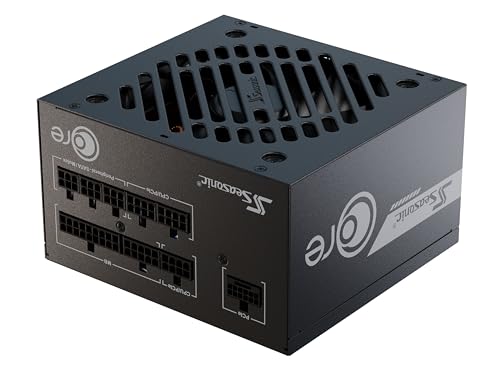
- Power and PSU: roughly 250W for the 5070 versus 300W for the Ti; plan on a quality 650W unit for one and 750W for the other.
- Value per dollar: the 5070 remains the stronger frames-per-dollar buy, while the Ti wins on longevity and headroom.
- Form factor: both now have genuinely compact options, though 5070 models are generally shorter and cooler in cramped cases.
NVIDIA’s Blackwell mid-range has settled into a clear two-tier structure, and in 2026 the GeForce RTX 5070 and RTX 5070 Ti are the two cards most 1440p and entry-level 4K builders genuinely cross-shop. They share an architecture, a display output stack and the full DLSS 4 feature set including Multi Frame Generation, so on a spec sheet they can look like siblings separated by a modest price step. Underneath, they are not the same class of GPU.
That distinction matters more now than it did at launch. Texture budgets have crept upward, path-traced lighting has moved from showcase titles into mainstream releases, and 1440p high-refresh panels have become the default rather than the upgrade. The RTX 5070 Ti carries 16GB of GDDR7 on a 256-bit bus and roughly 45% more shader cores; the RTX 5070 pairs 12GB on a 192-bit bus with lower power draw and a friendlier price. Choosing well means being honest about your resolution, your settings and how long you intend to keep the card.
Our top picks
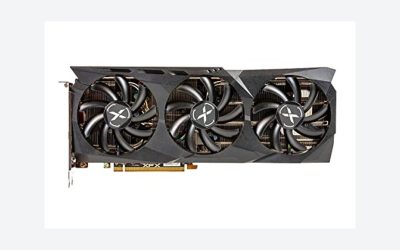
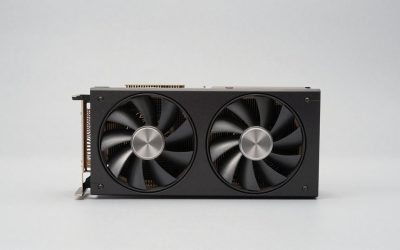
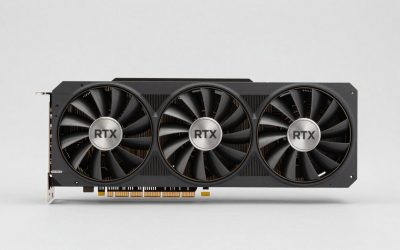
 ZOTAC Gaming GeForce RTX 5070 Ti Solid
- Powered by the NVIDIA Blackwell architecture and DLSS…
- 16GB GDDR7, 256-bit, 28 Gbps, PCIE 5.0, Boost…
- IceStorm 2.0 Advanced Cooling, 3x 90mm BladeLink fans,…
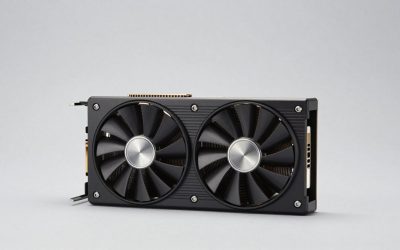
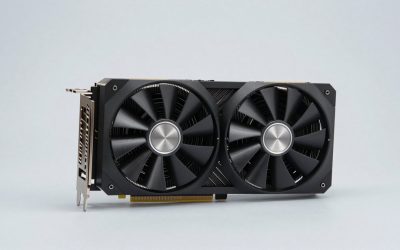
 ASUS TUF Gaming NVIDIA GeForce RTX 5070
- Powered by the NVIDIA Blackwell architecture and DLSS…
- Military-grade components deliver rock-solid power and longer lifespan…
- Protective PCB coating helps protect against short circuits…
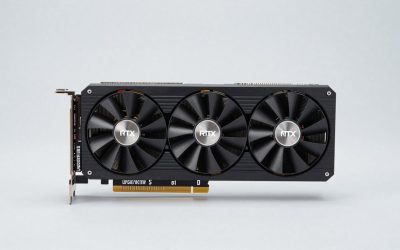
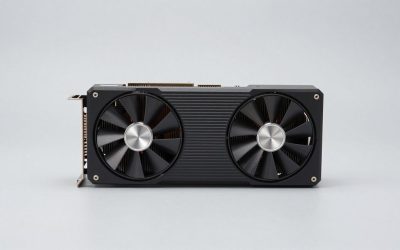
 msi Gaming RTX 5070 Ti 16G Ventus
- Powered by the NVIDIA Blackwell architecture and DLSS…
- SFF-Ready Enthusiast GeForce Card
- TORX Fan 5.0: Fan blades linked by ring…
| Product | Key specs | |
|---|---|---|
| ZOTAC Gaming GeForce RTX 5070 Ti Solid | Powered by the NVIDIA Blackwell architecture and DLSS… 16GB GDDR7, 256-bit, 28 Gbps, PCIE 5.0, Boost… IceStorm 2.0 Advanced Cooling, 3x 90mm BladeLink fans,… | Check price |
| ASUS TUF Gaming NVIDIA GeForce RTX 5070 | Powered by the NVIDIA Blackwell architecture and DLSS… Military-grade components deliver rock-solid power and longer lifespan… Protective PCB coating helps protect against short circuits… | Check price |
| msi Gaming RTX 5070 Ti 16G Ventus | Powered by the NVIDIA Blackwell architecture and DLSS… SFF-Ready Enthusiast GeForce Card TORX Fan 5.0: Fan blades linked by ring… | Check price |
 ZOTAC Gaming GeForce RTX 5070 Ti Solid ZOTAC Gaming GeForce RTX 5070 Ti Solid | Powered by the NVIDIA Blackwell architecture and DLSS… SFF-ready Enthusiast GeForce Card, 2-slot, 16GB GDDR7, 256-bit,… IceStorm 2.0 Advanced Cooling, 3x 90mm BladeLink fans,… | Check price |
As an Amazon Associate we earn from qualifying purchases at no extra cost to you.
⚡ Save on Your Next PC — Amazon Prime
Prime members get fast free shipping on the systems above, plus early access to Prime Day & Black Friday PC deals. New members get a 30-day free trial.
Watch: RTX 5070 vs 5070 Ti: Which to Buy in 2026? — Video Review
Quick Verdict
Buy the RTX 5070 if you play at 1080p or 1440p, favour high frame rates over maxed ray tracing, and want the best performance per dollar in a compact, power-efficient package — the ASUS TUF Gaming RTX 5070 OC is the obvious pick here. Buy the RTX 5070 Ti if you run 1440p ultra with ray tracing enabled, plan to step up to 4K, or simply want the extra 4GB of VRAM as insurance for the next few years of releases.
Key Differences
- Memory: 12GB GDDR7 on a 192-bit bus versus 16GB GDDR7 on a 256-bit bus — a meaningful bandwidth and capacity advantage for the Ti at high textures and 4K.
- Raw throughput: the 5070 Ti carries roughly 8,960 CUDA cores against the 5070’s 6,144, plus proportionally more RT and Tensor cores.
- Real-world gap: expect around 20–25% higher frame rates at 1440p, widening toward 30%+ at 4K or with heavy ray tracing where VRAM pressure bites.
- Power and PSU: roughly 250W for the 5070 versus 300W for the Ti; plan on a quality 650W unit for one and 750W for the other.
- Value per dollar: the 5070 remains the stronger frames-per-dollar buy, while the Ti wins on longevity and headroom.
- Form factor: both now have genuinely compact options, though 5070 models are generally shorter and cooler in cramped cases.
GeForce RTX 5070: The Efficient 1440p Sweet Spot
The RTX 5070 is built for the resolution most people actually game at. At 1440p with high settings and DLSS Quality, it comfortably clears 100 FPS in the majority of current titles, and Multi Frame Generation pushes supported games well beyond that on a 144Hz or 165Hz panel. Its lower 250W draw also makes it far easier to slot into an existing system without replacing the power supply — a real saving that often gets overlooked in the raw price comparison.
The ASUS TUF Gaming RTX 5070 OC is the version we’d recommend for most builders. It’s a triple-fan, military-grade-component design with a protective PCB coating and Axial-tech fans, backed by a three-year warranty, and it runs quietly under sustained load. The caveat is the 12GB frame buffer: it is sufficient today at 1440p, but at 4K with ultra textures and path tracing you will find titles where it becomes the limiting factor rather than the GPU itself.
GeForce RTX 5070 Ti: Headroom for 4K and Ray Tracing
The 5070 Ti is where Blackwell’s mid-range starts to feel genuinely future-proof. The extra 4GB and wider memory bus keep frame times stable in the scenarios that trouble the 5070 — 4K textures, path-traced lighting, heavy mod loads and high-resolution ultrawide panels. Paired with DLSS 4 upscaling, 4K60 with ray tracing is a realistic target in most modern releases rather than an aspiration.
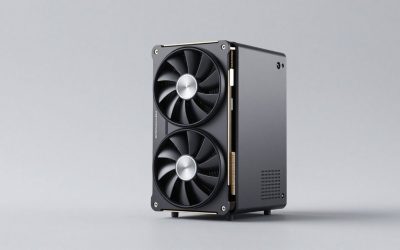
Choice is a strength here. The GIGABYTE RTX 5070 Ti Gaming OC 16G and MSI Ventus 3X OC are strong all-round triple-fan cards with generous cooling for open airflow builds. For compact systems, the ASUS Prime RTX 5070 Ti OC is SFF-ready at 2.5 slots with dual BIOS, while the GIGABYTE Eagle OC ICE SFF offers a white finish for lighter-themed builds. Laptop owners have a unique option in the ASUS ROG XG Mobile (2025), which delivers 5070 Ti performance over Thunderbolt 5.
Which Should You Buy?
- For competitive 1080p/1440p esports: pick the RTX 5070 — the Ti’s extra silicon is largely wasted at these settings.
- For 1440p ultra with ray tracing: pick the RTX 5070 Ti, where the memory bandwidth advantage genuinely shows.
- For 4K gaming or ultrawide: pick the RTX 5070 Ti; 12GB is too tight a budget at this resolution.
- For small-form-factor builds: either works, but the ASUS Prime SFF-Ready or GIGABYTE Eagle OC ICE SFF make the Ti viable in tight enclosures.
- For upgrading an older prebuilt: pick the RTX 5070 — its lower power draw usually avoids a PSU replacement.
Frequently Asked Questions
Is 12GB of VRAM still enough in 2026?
At 1080p and 1440p, yes, in the overwhelming majority of games. Problems appear at 4K